
Objective Alignment
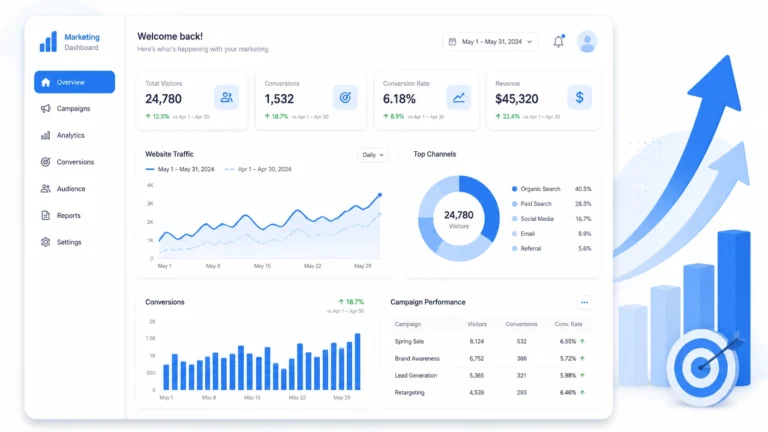
Successful Pay-Per-Click (PPC) campaigns require data synchronization. Integration removes guesswork from ad spend. Data analytics provides the feedback loop necessary for Venice-based business growth.
1. Data Source Synchronization
Connecting your advertising platform to your analytics suite is the primary requirement.
-
Google Ads and GA4 Linking:
- Open Google Analytics 4 (GA4).
- Navigate to Admin.
- Select Product Links.
- Click Google Ads Links.
- Select the correct Ads account.
- Enable Auto-tagging.
- Submit configuration.
-
Permissions Audit:
- Verify Editor access in GA4.
- Verify Admin access in Google Ads.
- Confirm consistent login credentials across platforms.
2. Technical Infrastructure Setup
Analytics integration relies on tracking pixels and scripts.

-
Global Site Tag (gtag.js):
- Deploy the tag across all website pages.
- Place the script within the
<head>section. - Verify installation via Google Tag Assistant.
-
Conversion Linker:
- Use Google Tag Manager (GTM).
- Enable the Conversion Linker tag.
- Set trigger to "All Pages."
- This ensures clicks are attributed correctly in Safari and cross-site environments.
3. UTM Parameter Framework
Standardized URL parameters categorize traffic segments. This is essential for comparing Venice-specific campaigns against broader Florida reach.
- utm_source: Identify the platform (google, facebook, bing).
- utm_medium: Identify the ad type (cpc, display, video).
- utm_campaign: Use specific names (venice-restaurant-promo-2026).
- utm_term: Identify the keyword (web design venice fl).
- utm_content: Distinguish ad variations (version-a-blue-button).
4. Conversion Action Definition
Data analytics must track specific business outcomes.
-
Primary Conversions:
- Form submissions.
- Direct phone calls.
- Online purchases.
- Booking confirmations.
-
Micro-Conversions:
- Newsletter signups.
- PDF downloads.
- Video plays.
- Scroll depth (over 75%).
5. Audience Segmentation for Venice Businesses

Local businesses must segment data by geography and intent.
-
Geographic Segments:
- Users within Venice, FL city limits.
- Users within a 15-mile radius (Sarasota, North Port).
- Seasonal visitors (Identify via non-local IP ranges during winter).
-
Behavioral Segments:
- Cart abandoners.
- Repeat visitors.
- Users viewing Search Engine Optimization (SEO) services.
6. KPI Dashboards and Metrics
Integrate data to monitor these specific Key Performance Indicators (KPIs).

-
CTR (Click-Through Rate):
- Measures ad relevance.
- Target: Above 3% for search ads.
-
CPC (Cost Per Click):
- Monitors bidding efficiency.
- Benchmark against local Venice industry averages.
-
CPA (Cost Per Acquisition):
- Total spend divided by conversions.
- Determines campaign profitability.
-
ROAS (Return on Ad Spend):
- Revenue generated per dollar spent.
- Calculate: (Revenue from Ads / Cost of Ads).
7. Strategic Landing Page Integration
Analytics data often reveals friction on the destination page. High bounce rates indicate a mismatch between ad copy and page content.
-
Speed Analysis:
- Use PageSpeed Insights.
- Fast load times improve Venice SEO and PPC quality scores.
-
A/B Testing Elements:
- Headline variations.
- Call-to-Action (CTA) placement.
- Form field count.
- Image selection.
8. AI and Predictive Analytics
Modern PPC strategies utilize machine learning to forecast outcomes.
-
Smart Bidding:
- Enable Target CPA or Target ROAS.
- Google AI adjusts bids in real-time based on user signals.
- Review Google's AI Overviews for broader context.
-
Predictive Audiences:
- Identify users "likely to purchase" within 7 days.
- Target these segments with higher bid adjustments.
9. Venice-Specific Local Optimization
Local search data requires specific analytics filters.
-
Location Extensions:
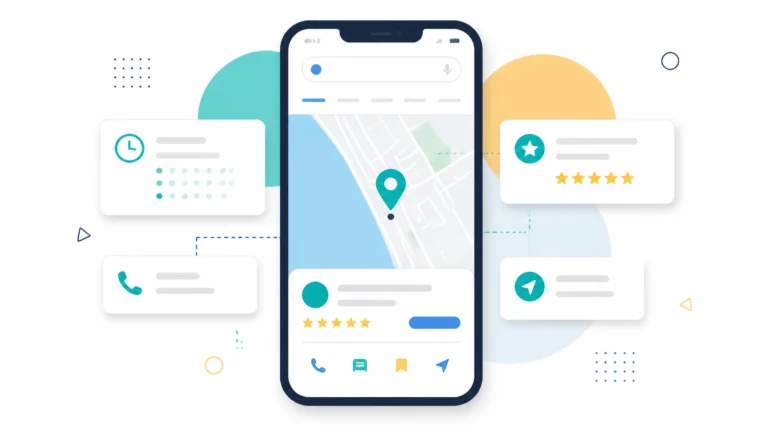
- Sync Google Business Profile with Google Ads.
- Track "Get Directions" clicks.
- Monitor "Store Visits" via proximity data.
-
Negative Keyword Lists:
- Exclude "Venice, Italy" to prevent wasted spend.
- Filter out non-service related queries.
10. Data-Driven Budget Allocation
Allocate capital based on historical performance data.
-
Shift Funds:
- Move budget from low-performing keywords to high-conversion terms.
- Analyze time-of-day data to increase bids during peak Venice business hours.
-
Seasonal Adjustments:
- Increase spend during high-traffic tourism months.
- Scale back during off-peak local cycles.
11. Maintenance and Optimization Checklist

Follow this schedule to maintain integration integrity.
-
Daily Actions:
- Check for tracking errors.
- Monitor daily budget caps.
- Review ad disapprovals.
-
Weekly Actions:
- Analyze search term reports.
- Add negative keywords.
- Review conversion attribution.
-
Monthly Actions:
- Audit GA4 audience sizes.
- Update Website Design creative assets.
- Compare ROAS against previous month.
12. Final Integration Validation
- Step 1: Click your own ad (use a preview tool to avoid costs).
- Step 2: Complete a test conversion.
- Step 3: Verify the event appears in the GA4 "Real-time" report.
- Step 4: Confirm the conversion attributes to the correct campaign.
For assistance with complex integrations, Contact Venice Florida Web Design.