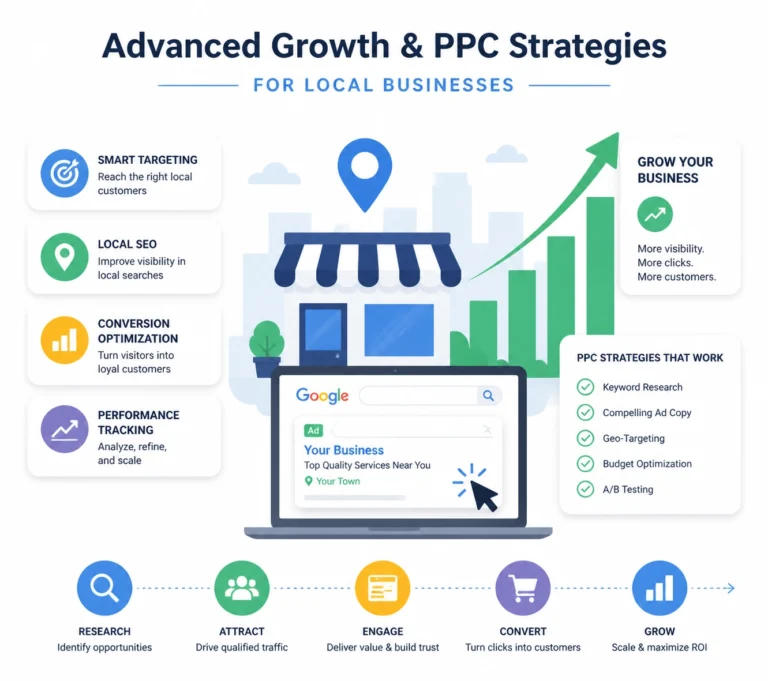

Local visibility requires two systems:
- Search signals that help customers find your business.
- Conversion paths that help customers contact you.
This week’s focus is the connection between both systems.
A strong Google Business Profile attracts clicks. A responsive website turns those clicks into calls, bookings, visits, and inquiries.
This Week’s Focus: Connect Ranking Signals to Conversion Paths
| Ranking signal | Website requirement | Conversion goal |
|---|---|---|
| Accurate business information | Matching name, address, and phone number | Customer reaches the correct location |
| Local relevance | Venice and service-area content | Visitor confirms service availability |
| Reviews | Visible customer feedback | Visitor gains confidence |
| Mobile usability | Responsive layouts and large buttons | Visitor calls or submits a form |
| Page speed | Optimized images and code | Visitor stays on the page |
| Clear services | Dedicated service sections | Visitor selects the next action |
Use this structure for businesses serving Venice Island, Downtown Venice, Venice Avenue, Nokomis, Englewood, North Port, and other areas in Sarasota County.
1. Complete Your Google Business Profile
Google Business Profile optimization Venice businesses need starts with accurate information.
Review the profile every Wednesday. Check each field against your website and customer-facing materials.
Required profile fields
- Business name
- Street address
- Local phone number
- Website URL
- Business hours
- Holiday hours
- Primary category
- Secondary categories
- Service list
- Business description
- Service areas
- Photos
- Questions and answers
Use your real business name. Do not add keywords to the name unless they are part of the legal or public-facing name.
Select the most accurate primary category. Add secondary categories only when they represent actual services.
Write a service description that identifies:
- What the business does
- Where it operates
- Who it serves
- How customers contact the business
Use location references such as Venice, Nokomis, Englewood, North Port, and Sarasota County when they accurately describe your service area.
Add new photos regularly. Include the storefront, team, interior, products, completed work, and service areas. Photos support profile activity and customer trust.
Use the Google Business Profile setup and management guide to confirm ownership and profile access.
Check the profile-to-website path
Your profile should link to the page that matches the customer’s intent.
Examples:
- Restaurant profile → menu or reservations page
- Medical practice profile → appointment page
- Contractor profile → service page
- Law firm profile → consultation page
- Web design profile → web design service page
Do not send every visitor to a generic homepage when a specific page answers the search.
2. Build Consistent Local Citations
Local citations Venice Florida businesses use must contain matching information.
A citation includes your business name, address, phone number, and website. Search engines compare this information across platforms.
Use one standard format.
| Field | Example standard |
|---|---|
| Business name | Venice Florida Web Design |
| Address | 105 Tampa Ave W, Venice, FL 34285 |
| Phone | 941.240.2675 |
| Website | https://venicefloridawebdesign.com/ |
Apply the same format to:
- Google Business Profile
- Bing Places
- Yelp
- Better Business Bureau
- Chamber directories
- Industry directories
- Local business directories
Correct old listings. Remove duplicate profiles when possible. Update closed locations and outdated phone numbers.
Prioritize directories that customers use. A smaller number of accurate listings is more useful than a large number of low-quality listings.
Look for local opportunities in Venice and Sarasota County. Community organizations, local publications, business associations, and industry groups can provide relevant references.
Link your website to the correct service page when a directory allows it.
3. Create a Review Process
Reviews support both visibility and conversion.
Customers use reviews to compare businesses before they call. Google also displays review information directly in local search results and Maps.
Ask for reviews after a completed service. Use a direct link to your review form. Keep the request simple.
Review request format
Thank you for choosing us. Please share your experience on Google: [review link]
Do not offer discounts or gifts for reviews. Do not request only five-star reviews. Do not copy the same response to every customer.
Respond to every review.
- Thank the customer.
- Mention the service when appropriate.
- Address concerns directly.
- Avoid private customer details.
- Invite unresolved issues to continue offline.

Display selected reviews on relevant website pages. Place service-specific reviews near the related call to action.
Examples:
- Web design review → web design service page
- Restaurant review → menu or reservation page
- Medical review → appointment page
- Contractor review → project or service page
Reviews need context. A review next to a relevant service helps the visitor make a decision.
4. Use Responsive Web Design for Every Screen
Responsive web design Venice FL businesses need works across phones, tablets, laptops, and desktop monitors.
Customers may search while walking along Venice Avenue, visiting Venice Island, or traveling through Nokomis and North Port. They may use a phone with a slow connection. The page must remain usable.
Test these mobile functions
- Logo links to the homepage.
- Menu opens without covering the screen.
- Text remains readable.
- Buttons are easy to tap.
- Phone numbers open the phone app.
- Forms fit the screen.
- Images do not cause horizontal scrolling.
- Maps load without blocking the contact details.
- Headings remain visible.
- Primary calls to action appear near the top.
Use one primary action for each page.
Examples:
- Call now
- Request an estimate
- Book an appointment
- View the menu
- Schedule a consultation
Avoid placing five equal buttons above the first screen. Too many choices slow the decision.

Responsive design also supports technical performance. Compress images. Remove unused plugins. Reduce script files. Use secure hosting. Test mobile pages with Google PageSpeed Insights.
Speed affects both search performance and customer behavior. A visitor who waits for a page may return to the search results.
5. Match Local SEO Pages to Customer Intent
Venice Florida local SEO requires more than repeating “Venice” on every page.
Create useful pages for real services and service areas.
Recommended page structure
| Page type | Purpose |
|---|---|
| Main service page | Explains the primary service |
| Venice location page | Targets customers in Venice |
| Area page | Addresses Nokomis, Englewood, or North Port |
| Service detail page | Answers specific customer questions |
| Contact page | Provides phone, address, hours, and directions |
| FAQ section | Answers common search questions |
Use natural references to Downtown Venice, Venice Island, Venice Avenue, and Sarasota County when relevant.
Do not create thin pages that change only the city name. Each area page should include useful information, such as:
- Services available in the area
- Common customer needs
- Travel or service limitations
- Local examples
- Relevant testimonials
- A clear contact option
Link related pages together. Link a Venice location page to its service pages. Link blog posts to relevant services. Link service pages to the contact page.
This creates a clear path from search result to action.
6. Make the Conversion Path Measurable
Local search marketing Venice FL businesses use should produce measurable actions.
Track more than rankings.
Monitor:
- Google Business Profile calls
- Website phone clicks
- Form submissions
- Appointment requests
- Direction requests
- Contact page visits
- Service page engagement
- Review volume
- Organic traffic
- Paid campaign conversions
Use analytics to identify gaps.
| Result | Likely issue |
|---|---|
| Profile views but few website clicks | Weak profile description or offer |
| Website visits but few calls | Phone number is difficult to find |
| Mobile traffic but low engagement | Responsive design or speed issue |
| Service page visits but no forms | Unclear offer or weak call to action |
| Reviews but low inquiries | Reviews are not visible on service pages |
Update one element at a time. Record the change. Review the result after enough traffic accumulates.
Venice Florida Web Design Tips for This Week
Use this focused audit:
- Confirm Google Business Profile hours.
- Check the primary category.
- Review the profile website link.
- Compare NAP information across directories.
- Request reviews from recent customers.
- Test the website on an iPhone and Android device.
- Tap the phone number.
- Submit every contact form.
- Check page speed.
- Identify the primary action on each service page.
- Add one relevant Venice-area internal link.
- Review calls, forms, and direction requests in analytics.
These actions connect search visibility to customer engagement.
Combine Local SEO With Responsive Design
SEO attracts attention. Responsive design supports the next step.
A customer who finds your business through Google should immediately see:
- Where you operate
- What you provide
- Why customers choose you
- How to contact you
- What action to take next
Venice Florida Web Design provides responsive web design, SEO and answer engine optimization, website hosting, local search marketing, social media marketing, PPC support, and analytics.
A coordinated system gives each channel a defined job:
- Google Business Profile generates local discovery.
- Citations support business consistency.
- Reviews support trust.
- SEO pages answer local searches.
- Responsive design supports mobile visitors.
- Analytics identifies the next improvement.
Start Your Venice Visibility Audit
Review your profile and website before the next customer search.
For help with Venice Florida local SEO, responsive web design Venice FL, Google Business Profile optimization Venice, or local citations Venice Florida, contact Venice Florida Web Design.
- Website: venicefloridawebdesign.com
- Phone: 941.240.2675
Use this week’s audit to improve one ranking signal and one conversion path.