
Fall is the review period for your online presence.
Snowbird traffic increases searches across Venice, Nokomis, South Venice, Englewood, North Port, and Sarasota County.
Use this four-week checklist to improve local visibility and mobile conversions before seasonal demand increases.
Week 1: Update Your Google Business Profile
Task
Complete a full Google Business Profile review.
Check each field.
Business category
Confirm the primary category matches your main service.
Add accurate secondary categories.
Do not select categories only because they contain popular keywords.
Use categories that describe the actual business.
Business hours
Verify regular hours.
Add seasonal hours before they begin.
Add special hours for:
- Thanksgiving
- Christmas
- New Year’s Day
- Local events
- Extended winter hours
- Temporary closures
Incorrect hours create missed visits and negative reviews.
Photos
Upload current images.
Use:
- Storefront photos
- Interior photos
- Staff photos
- Product photos
- Service photos
- Parking information
- Images from downtown Venice
- Images from Historic Venice Avenue
- Photos that show the business location clearly
Use real business images.
Replace outdated seasonal photos.
Google Posts
Publish one post each week.
Use posts for:
- Fall promotions
- Snowbird services
- Holiday schedules
- New products
- Events
- Service updates
- Appointment availability
Add one clear action.
Examples:
- Call today
- Request an appointment
- View the menu
- Visit the store
- Get directions
Q&A
Review the Q&A section.
Add answers to common customer questions.
Cover:
- Parking
- Appointment requirements
- Accepted payment methods
- Service areas
- Accessibility
- Delivery options
- Seasonal hours
- Booking procedures
Answer new questions quickly.
Service areas
List the locations you actually serve.
Review coverage for:
- Venice
- South Venice
- Nokomis
- Englewood
- North Port
- Sarasota County
Do not add locations that you do not serve.
For more profile checks, review 10 Reasons Your Google Business Profile Isn’t Bringing Customers.
Week 2: Clean Up Local Citations and NAP Data
Task
Audit your business listings.
NAP means:
- Name
- Address
- Phone number
Use the same information on every platform.
Check:
- Google Business Profile
- Website
- Yelp
- Bing
- Industry directories
- Social profiles
- Local association listings
Correct differences in:
- Business name
- Suite number
- Street format
- Phone number
- Business hours
- Website address
Small differences create data conflicts.
Venice-area directories
Review listings from local organizations.
Check your profile with:
- Venice Area Chamber of Commerce
- Sarasota County directories
- Venice MainStreet
- Neighborhood organizations
- Local business groups
- Community event directories
Confirm that each listing links to the correct website page.
Use a relevant service page when possible.
Local citation content
Do not copy incomplete information from one directory to another.
Create a citation record with:
- Official business name
- Complete address
- Local phone number
- Website URL
- Primary service
- Service area
- Hours
- Business description
Keep this record for future updates.
The goal of local citations Venice Florida work is accuracy and consistency.

Week 3: Build a Review Generation Process
Task
Create one repeatable review request process.
Ask after a completed service or positive customer interaction.
Use:
- Text message
- Printed receipt
- QR code
- Follow-up call
- Appointment completion message
Keep the request simple.
Example:
Thank you for choosing us. Please share your experience on Google.
Link directly to the review form.
Do not offer payment for reviews.
Do not ask only for positive reviews.
Response process
Respond to every review.
Use a 24–48 hour response target.
For positive reviews:
- Thank the customer
- Mention the service
- Reference a specific detail
- Invite a future visit
For negative reviews:
- Acknowledge the concern
- Avoid arguments
- Do not reveal private information
- Offer a direct contact option
- Move detailed resolution offline
Use a review response log.
Track:
- Customer name
- Review date
- Response date
- Issue type
- Follow-up status
Recent reviews help visitors evaluate current service quality.
Display selected reviews on your website.
Use them on:
- Homepage
- Service pages
- Contact page
- Booking page
- Location pages
Review display must work on mobile screens.
Read The Simple Trick to Turn Google Reviews Into Your Best Sales Tool for additional review workflow guidance.
Week 4: Test Responsive Web Design
Task
Test the website on current phones and tablets.
Do not rely on a desktop preview.
A responsive web design Venice FL review should cover layout, speed, navigation, and forms.
Navigation
Confirm that users can find these items within one or two taps:
- Phone number
- Address
- Directions
- Hours
- Services
- Pricing
- Booking
- Contact form
Remove unnecessary menu items.
Keep the primary action visible.
Tap targets
Test every button.
Check that users can tap:
- Menu controls
- Phone links
- Form fields
- Submit buttons
- Direction links
- Date selectors
- Dropdown menus
Buttons must have enough spacing.
Small controls create errors on mobile devices.
Click-to-call
Make the 941 number clickable.
Test it on an iPhone and Android device.
Use the correct phone number across the website and listings:
Call Venice Florida Web Design at 941.240.2675
Place click-to-call links on:
- Header
- Contact page
- Service pages
- Footer
- Mobile navigation
Forms
Submit every important form.
Check:
- Required fields
- Error messages
- Confirmation message
- Email delivery
- Spam protection
- Mobile keyboard behavior
- File uploads
- Appointment requests
Remove fields that are not necessary.
Short forms produce fewer completion problems.
Layout
Check each page for:
- No horizontal scrolling
- No cut-off headings
- No overlapping buttons
- No hidden content
- No unreadable text
- No oversized images
- No broken menus
Test portrait and landscape orientation.
Speed and Core Web Vitals
Run mobile speed tests.
Review:
- Largest Contentful Paint
- Interaction to Next Paint
- Cumulative Layout Shift
- Total page weight
- Server response time
- Image file sizes
Compress images.
Use modern image formats.
Remove unused plugins and scripts.
Enable caching.
Check the homepage, contact page, service pages, and top landing pages first.
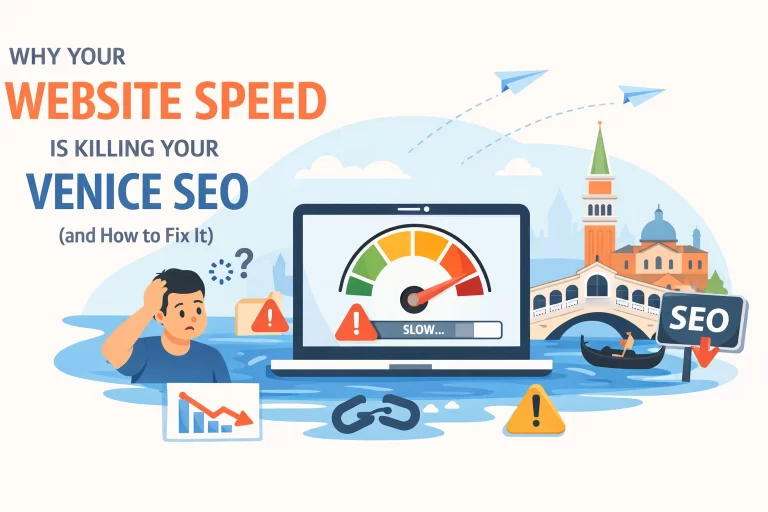
Use Why Your Website Speed Is Killing Your Venice SEO for a technical review sequence.

Keyword and Page Review
Task
Match each important search term to a useful page.
Use local language where it fits the service.
Target terms include:
- Venice Florida local SEO
- responsive web design Venice FL
- Google Business Profile optimization Venice
- local citations Venice Florida
- mobile-friendly website Venice
- local search marketing Venice FL
- Venice Florida web design tips
Use location references in relevant page copy:
- Downtown Venice
- Historic Venice Avenue
- Venice Beach
- South Venice
- Nokomis
- Englewood
- North Port
- Sarasota County
Do not place every location on every page.
Create useful location sections only when the business serves those areas.
Review:
- Page title
- Main heading
- Meta description
- Service description
- Image alt text
- Internal links
- Contact information
- Service area details
Link each page to the next action.
A service page should link to a contact or booking page.
A blog post should link to a related service.
See the Venice Florida web design service and SEO + AEO service for examples of focused service pages.
Weekly Maintenance After the Refresh
The checklist continues after launch.
Set a weekly schedule.
Monday
Check new reviews.
Respond to every review.
Tuesday
Review calls, forms, and appointment requests.
Confirm that each lead receives a response.
Wednesday
Publish one Google Post.
Update a seasonal offer, service, event, or customer question.
Thursday
Add one current business photo.
Check the image displays correctly on mobile.
Friday
Review local rankings and website conversions.
Track:
- Profile views
- Phone calls
- Direction requests
- Website clicks
- Form submissions
- Review volume
- Organic traffic
Record the data in a monthly report.
Combine Local SEO With Responsive Design
A complete local strategy needs both systems.
Google Business Profile optimization increases discovery.
Consistent citations support location accuracy.
Reviews support customer decisions.
Responsive design converts mobile visitors.
Speed supports the full process.
A business may appear in a search result and still lose the customer if the website loads slowly, hides the phone number, or breaks on a mobile screen.
Request a local visibility and mobile audit from Venice Florida Web Design.
Call 941.240.2675.
The audit reviews your Google Business Profile, local listings, website experience, mobile performance, and conversion paths before snowbird traffic increases.