
Paid media produces clicks.
Landing pages produce leads.
If the page fails, higher bids and larger budgets increase waste. You cannot outbid a bad landing page.
For businesses in Venice, Nokomis, North Port, Englewood, and Sarasota County, landing page conversion rate directly controls cost per lead.
This playbook covers the conversion layer.
1. Start with the ad-to-page message match
The visitor should see the same promise in four places:
- Search query or social creative
- Ad headline
- Landing page headline
- Primary call to action
Example:
Ad:
“Venice AC Repair: Same-Day Service”
Landing page headline:
“Same-Day AC Repair in Venice, Florida”
Primary CTA:
“Request Same-Day Service”
Do not send that visitor to a general homepage with unrelated services.
Use a dedicated page for each high-value service when volume supports it:
- Emergency plumbing
- Roof repair
- Dental implants
- Personal injury consultation
- Property management
- Local web design
Google recommends relevant content, transparency, simple navigation, and mobile usability as components of landing page experience. Review the Google Ads landing page experience guidance.
Match the page to the intent
A visitor searching “roof repair near me” needs a roof repair page.
A visitor searching “roof replacement cost Venice FL” needs pricing context, process details, and a quote path.
Do not force both visitors through the same page.
2. Give every local service page one primary goal
A local service landing page should support one main action.
Choose the action based on the buying process:
- Click-to-call: urgent or high-value services
- Short form: quote requests and scheduled consultations
- Appointment booking: medical, legal, and professional services
- Directions or store visit: retail and restaurant campaigns
Secondary links should not compete with the primary CTA.
Limit the page navigation. Remove unnecessary menus, unrelated service links, and competing offers.
A service page can include multiple buttons, but each button should perform the same action.
Examples:
- “Call Now”
- “Request a Quote”
- “Book an Appointment”
Avoid using “Learn More” as the primary CTA for paid traffic. It describes navigation, not value.
3. Build the above-the-fold section for proof and action
The first screen should answer four questions:
- What does the business provide?
- Where does it provide the service?
- Why should the visitor trust it?
- What should the visitor do next?
Use this structure:
Service + location headline
Specific customer benefit
Trust signal
Primary CTA
Secondary contact option
Example:
Same-Day Water Heater Repair in Venice, FL

Licensed technicians for residential repairs and replacements.

4.9-star local rating | Upfront estimates | Financing available

[Request Service] [Call Now]
Place proof near the CTA:
- Review rating
- Number of years in business
- License or certification
- Local address
- Service-area coverage
- Warranty
- Customer testimonial
- Before-and-after result
- Financing terms
Do not hide proof in the footer.

4. Choose between forms and click-to-call
The correct conversion method depends on customer urgency and lead value.
Use click-to-call when:
- The visitor needs immediate service.
- The business closes leads by phone.
- The service requires qualification.
- The average job value supports live handling.
- The user is likely searching from a mobile device.
Make the phone number a real tap target. Use a fixed mobile call button when appropriate.
Track:
- Phone link clicks
- Calls from ads
- Calls from the website
- Answered calls
- Qualified calls
- Booked appointments
Use a form when:
- The visitor needs a written estimate.
- The business collects project details.
- The customer compares several providers.
- The sales team responds within a defined timeframe.
- The service requires documents or images.
Keep the form short.
Start with:
- Name
- Phone
- Service needed
- ZIP code
- Optional message
Remove fields that the team does not use.
Set a clear response expectation:
“We respond during business hours.”
“A local team member calls within 15 minutes.”
Only make this claim if the business can meet it.
5. Construct an offer that reduces risk
A service description is not always an offer.
An offer gives the visitor a reason to act now.
Use one or more of these components:
Urgency
- Same-day availability
- Limited appointment slots
- Seasonal inspection window
- Expiring consultation schedule
Use real constraints. Do not create artificial countdowns.
Risk reversal
- Free estimate
- No-obligation consultation
- Workmanship warranty
- Satisfaction guarantee
- Transparent pricing before work begins
Financing
- Monthly payment options
- Deferred payment terms
- Approved credit offers
Link to the actual terms. Avoid vague financing claims.
Convenience
- Mobile service
- Weekend appointments
- Online scheduling
- Text updates
- One-visit repairs
Local relevance
Mention the service area when it supports the offer:
- Venice
- Nokomis
- North Port
- Englewood
- Sarasota County
The offer should appear in the ad, headline, CTA, and form confirmation.
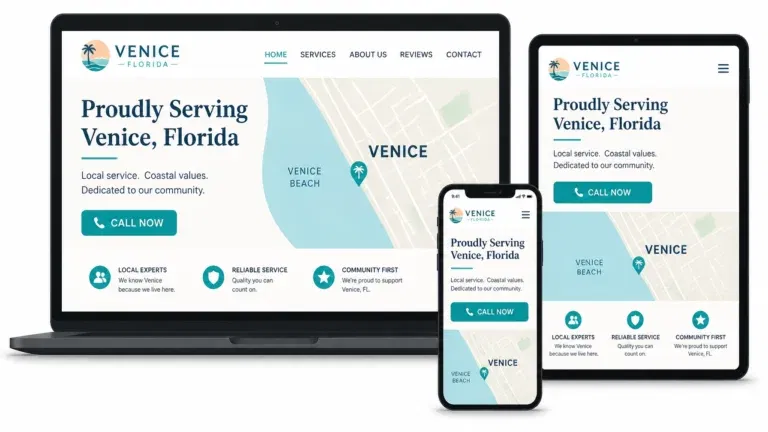
6. Optimize mobile speed and thumb reach
Most local paid traffic uses mobile devices.
The mobile page must load quickly and support one-handed use.
Check:
- Headline visibility without excessive scrolling
- CTA placement near the thumb zone
- Tap target size
- Form field spacing
- Phone number functionality
- Text readability
- No layout shift
- No intrusive pop-up before content loads
- No large image blocking the CTA
Use web.dev Core Web Vitals thresholds as technical targets:
- LCP: 2.5 seconds or less
- INP: 200 milliseconds or less
- CLS: 0.1 or less
Test the page on an actual mobile connection.
Compress images. Reduce unnecessary scripts. Remove unused tracking tags. Load only the elements required for the conversion path.
Responsive design is not optional for paid traffic. Review Venice Florida Web Design’s web design services for mobile-first implementation support.
7. Use behavioral data to find friction
Analytics reports show what happened.
Behavior tools help explain why.
Use:
- Call tracking
- Heatmaps
- Session recordings
- Form analytics
- Scroll-depth tracking
- Rage-click detection
- Error monitoring
Look for patterns:
- Visitors click a phone number that is not clickable.
- Visitors stop before the form.
- Users repeatedly click an inactive element.
- Visitors reach the pricing section but do not submit.
- Mobile users abandon after a slow-loading hero image.
- Users scroll past the first CTA and never see another.
Protect privacy. Mask sensitive form fields in recordings. Do not record payment data, medical information, or private customer details.
Track micro-conversions as diagnostic signals:
- CTA click
- Phone click
- Form start
- Form field completion
- Form error
- Calendar open
- Directions click
- FAQ expansion
- Review expansion
- Chat initiation
Use Google Analytics event and key event documentation to define important actions. Import qualified lead actions into advertising platforms only after the tracking is reliable.

8. The cost-per-lead math
Conversion rate changes the economics of every click.
Venice service business example
Assume:
- CPC: $6.00
- Landing page conversion rate: 4%
- Spend: $600
- Clicks: 100
- Leads: 4
Calculation:
100 clicks × $6.00 CPC = $600 spend

100 clicks × 4% conversion rate = 4 leads

$600 ÷ 4 leads = $150 cost per lead
Now improve the landing page and offer.
New conversion rate: 6%.
100 clicks × $6.00 CPC = $600 spend

100 clicks × 6% conversion rate = 6 leads

$600 ÷ 6 leads = $100 cost per lead
The business receives two additional leads from the same traffic and spend.
Cost per lead falls from $150 to $100.
That is a 33.3% reduction without changing the CPC.
The business can now:
- Accept more auction competition
- Increase qualified lead volume
- Protect margin
- Scale profitable campaigns
- Test additional service areas
The calculation is simple:
Cost per lead = CPC ÷ conversion rate
Use the same formula when evaluating every landing page.
9. Apply the playbook by platform
Google Ads Search
For Search campaigns:
- Match keyword intent to the landing page.
- Repeat the service and location in the headline.
- Continue the ad’s offer on the page.
- Use the same CTA language.
- Send urgent searches to fast call paths.
- Send research-stage searches to pages with proof and pricing context.
Google also provides landing page best-practice guidance.
Google Performance Max
Review the final URLs used by the campaign.
If final URL expansion sends traffic to pages with weak conversion paths, narrow the destination structure or improve those pages before increasing spend.
Check:
- Service relevance
- Location relevance
- CTA consistency
- Mobile performance
- Form and call tracking
- Offer continuity
The objective is not only to generate visits. It is to send qualified visitors to pages that complete the conversion path.
Meta
Meta gives local businesses two primary lead paths:
- Instant forms
- Website forms
Use Instant Forms when speed and low friction matter. Meta can prefill basic user information inside Facebook or Instagram.
Use website forms when the landing page needs:
- Detailed service information
- Reviews
- Pricing context
- Qualification questions
- Financing details
- Scheduling
- Stronger brand control
Match the creative to the page.
If the ad shows a before-and-after roof project, the landing page should show the same service. If the creative promotes a free estimate, the page should repeat that offer.
Review Meta’s official lead ad and instant form documentation.
10. Use a two-week test sequence
Low-volume local accounts need controlled testing.
Test one variable at a time.
Days 1–3: Establish the baseline
Record:
- Sessions
- Clicks
- Form starts
- Form submissions
- Calls
- Qualified leads
- Conversion rate
- Cost per lead
Check tracking before changing the page.
Days 4–6: Test the headline
Version A: service plus location
Version B: service plus outcome or urgency
Keep the offer, layout, form, and CTA unchanged.
Days 7–9: Test the primary CTA
Version A: “Request a Quote”
Version B: “Get Same-Day Service”
Keep the winning headline.
Days 10–12: Test the proof block
Version A: review rating
Version B: warranty, license, or years in business
Keep the headline and CTA unchanged.
Days 13–14: Test the conversion method
Version A: short form
Version B: click-to-call emphasis
Evaluate qualified leads, not only completed actions.
Do not declare a winner from a few submissions. Use directional results for low-volume accounts and continue testing when the data remains inconclusive.

Landing page and offer checklist
- Ad promise matches the page headline.
- Service and location are specific.
- Page has one primary goal.
- CTA appears above the fold.
- Trust proof appears near the CTA.
- Form uses only required fields.
- Phone links work on mobile.
- Offer includes a clear benefit.
- Urgency is real.
- Risk reversal is visible.
- Financing claims include terms.
- Page loads quickly.
- Layout remains stable.
- Call tracking is active.
- Form submissions are recorded.
- Micro-conversions are measured.
- Heatmaps and recordings protect customer data.
- Google Ads final URLs lead to relevant pages.
- Meta creative matches the landing page.
- Qualified leads are separated from low-quality submissions.
Conclusion
Paid media cannot compensate for conversion friction.
A better landing page improves the value of every click. A stronger offer gives visitors a reason to act. Better tracking identifies the points that block conversion.
For local businesses in Venice and surrounding Sarasota County communities, the practical sequence is:
- Match the message.
- Focus the page.
- Show proof.
- Reduce friction.
- Improve speed.
- Track actions.
- Test one variable.
- Scale only after the conversion path works.
For help building a responsive, conversion-focused landing page, visit Venice Florida Web Design. Review our responsive web design services and SEO and answer engine optimization services.